
Nonqualified Deferred Compensation Reporting
NQDC reporting lets you access and download reports containing nonqualified deferred compensation plan and participant details.
Available Reports
Participant Detail & Activity
- Activity by account
- Activity by fund
- Activity by participant
- Participant balances
- Participant address
Enrollment
- Enrollment Status
- Enrollment Summary
- Online Enrollment Deferral Elections
Contributions & Distributions
- Distributions processed
- Contribution detail
- Contribution summary
- Scheduled distributions
Plan Level
- Plan balance report
- Account activity summary by fund
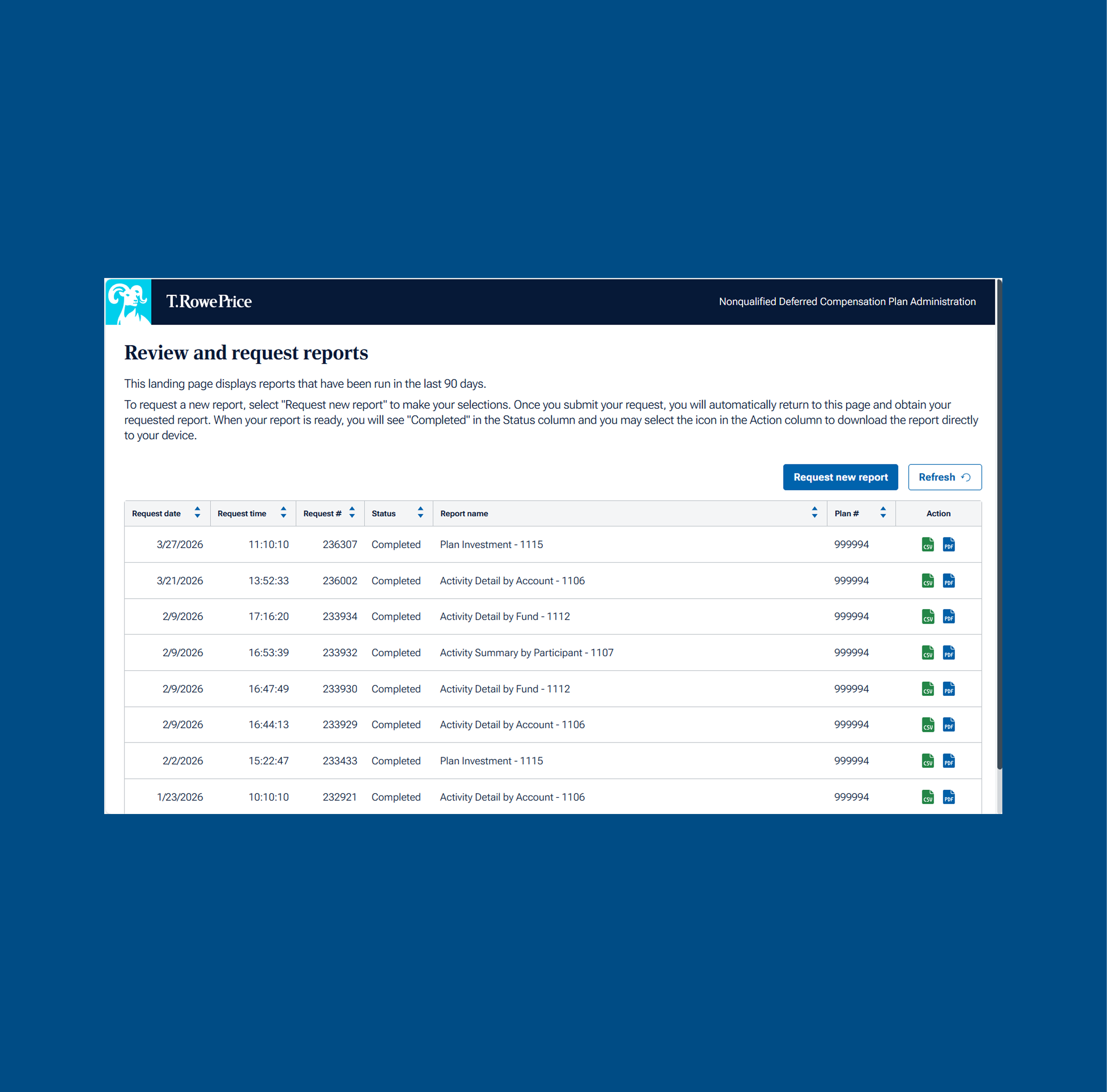
Your Dashboard
Navigate to tool
- Open the Reports & Analytics tab in the navigation
- Select “Non-qualified reporting tool”
View and download existing reports
- The landing page will list reports run for the last 90 days
- Select the CSV or PDF icon under the action column to download the completed report
- Select "Request new report" to define your data requirements
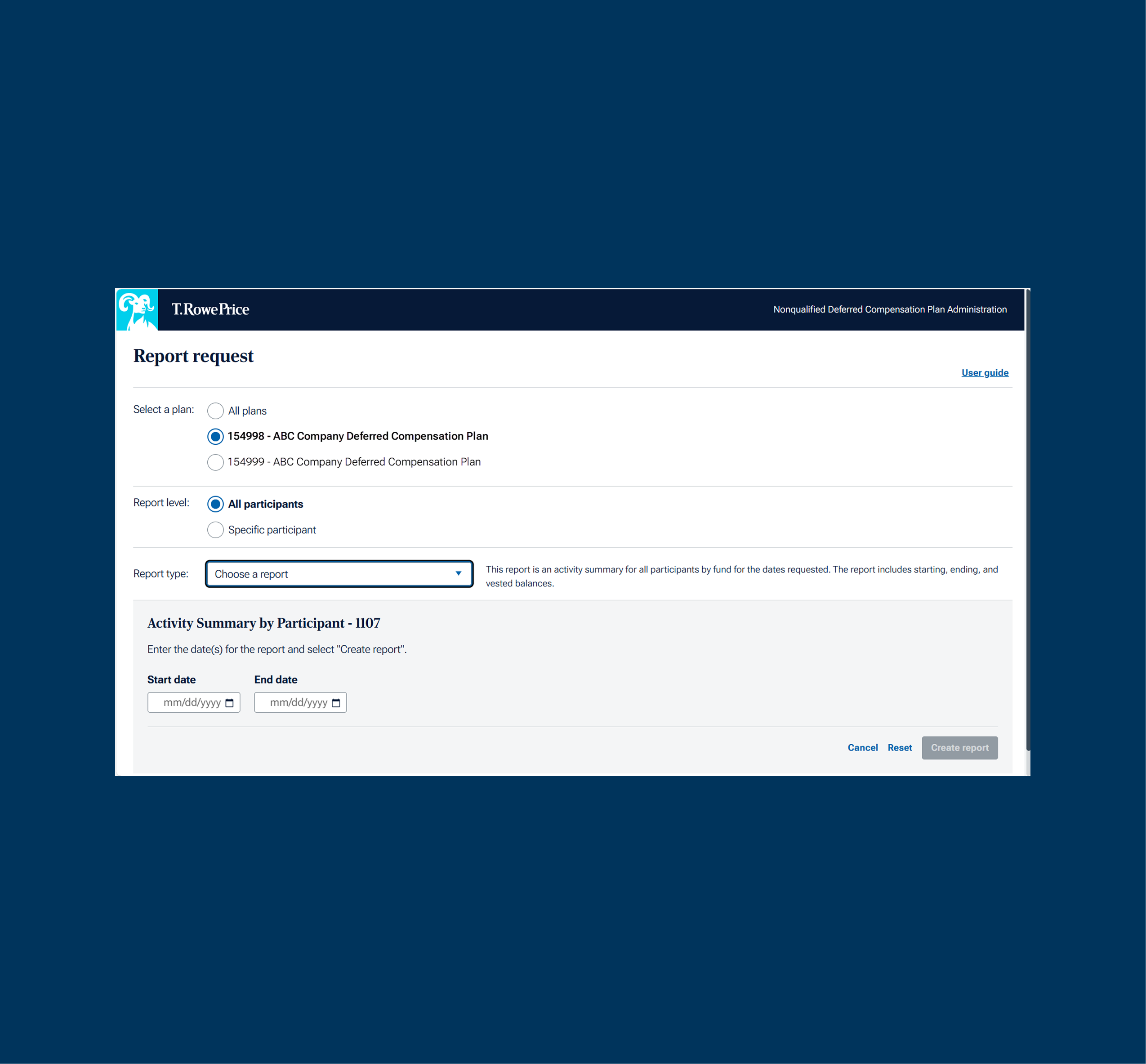
Request New Report
- Select ‘Request new report” button
- Select the desired plan (if applicable)
- Choose the reporting level for participants to include in the report
- Choose the report type (each report selected will show a description of the data provided)
- Enter the applicable dates for the report request
- Select “Create report” to start generating the report and return to the report dashboard
- Once the status is “Completed”, you can download the report
Activity Reports – The starting balance on all activity reports will be the ending value from the day prior. Example: Activity detail by Account ran for 12/1-12/31 will have a starting value of 11/30.
Enrollment Reports – The dates entered must include the complete date range of the enrollment window period. Example: If the enrollment period is 12/1-12/15, the dates you use to run the report can be 12/1-12/15, or 11/1-12/31.
Reports can be run for all plans when run for all participants.
202511-5002065
.png)